MILR.AD takes any video feed, detects targets and tracks hits.
milrad works with the range's own cameras, even from steep angles and with the paper swinging, on as many lanes as you have. A hit shows about 0.2 s after it lands.
- Hit shown after
- 0.2 s
- Targets
- ISSF · IPSC
- Groups in
- mm · MOA · mrad
- Lanes and viewers
- any number
01Camera
Any camera that can see the target.
It does its best to compensate for bad angles or image quality, and for paper that swings after every shot. milrad finds the target in the picture, straightens it and measures where each hole is.

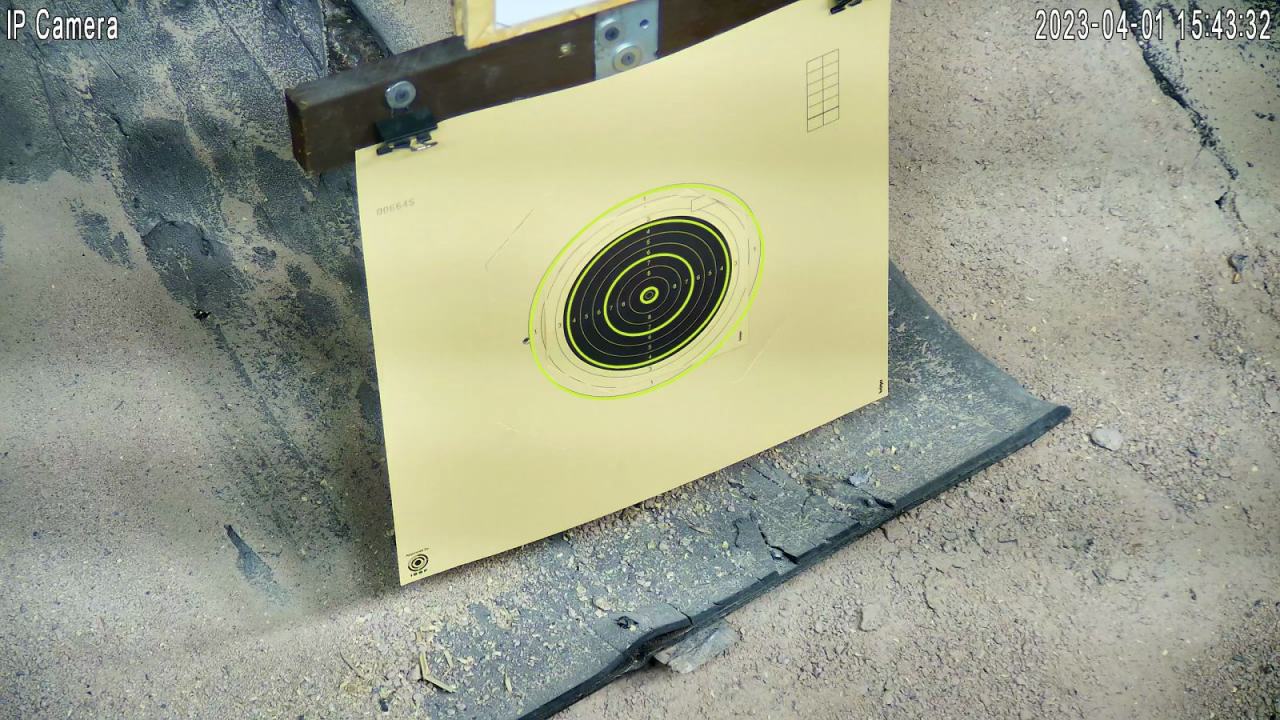
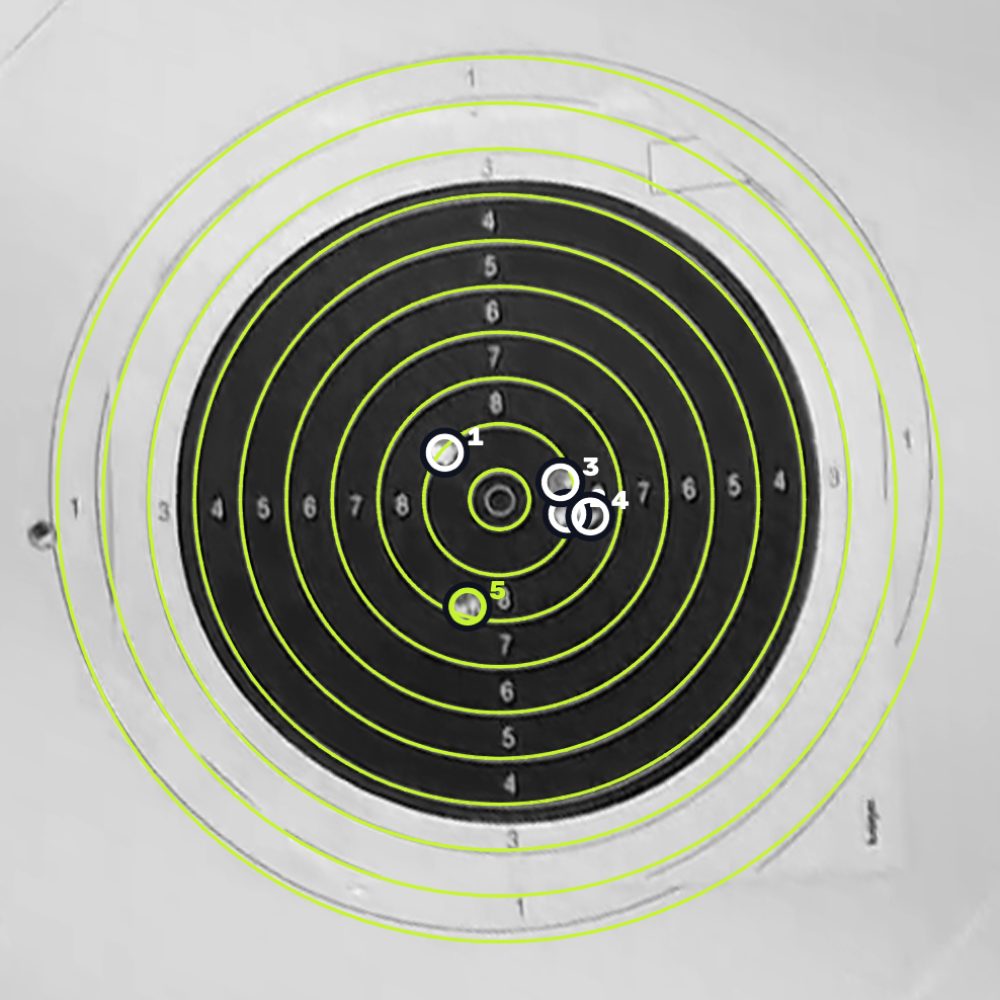
A real range camera, 2560 × 1440, through milrad's detector. The five hits: 9.4, 9.4, 9.6, 8.9, 8.5.
02Scores
Every hit is scored as it lands.
Ring and tenth, inner ten and the distance from the centre. IPSC targets by zone. On the zero sheet: how far off, and which way.
03Targets
It recognises the target hanging there.
ISSF rifle, pistol, air rifle and air pistol targets, IPSC targets, and two sheets of its own to print. The distance is the lane's, so any target works at any distance.
04Group
Group size, offset and the correction in clicks.
In mm, MOA and mrad at the lane's distance. The statistics cover everything since the last clear: results, rings, series over time, and the sight correction.
- Group
- centre to centre
- Offset
- right, left, up, down
- Correction
- in clicks
05Paper
Many series on one target, without pulling it back.
milrad remembers every hole already in the paper. A new series, or the next shooter's session, goes on on the same target, and the lane shows only what is new. That saves paper, money and trips to the target line.
When the paper is shot through and new hits land on old holes, milrad marks them as uncertain. That is the moment to pull the target back for a fresh one.
Left the camera's picture: every hole from earlier series and shooters. Right the lane: the running series alone, its group measured as if the paper were new.
06Lanes
The range puts up tablets, or people open their lane by QR code.
One computer runs every lane. A tablet can stand at each bench, and anyone can scan a lane's QR code on the overview with their own phone, tablet or laptop. Any number of devices can show the same lane.
07Setup
A new lane takes a minute to set up.
Find cameras looks through the network and finds most cameras by itself: at the paths common makes use, or by asking the camera over ONVIF, the cameras' common language. Pick the picture that shows the lane's target and type the distance. A camera's address can also be typed in.
It tries the one login you give it, once per camera, so a wrong password never locks a camera out.
Looks at 192.168.0.1 to 192.168.0.254 for cameras and shows each with a picture.
08Detection
Fast or precise, set for each lane.
On fast, a hit shows after about 0.1 s, even during a quick string of shots. On precise, milrad waits until the paper hangs still.
09Access
The range decides who sees what.
Lanes stay on the range's own network, or go online for members at home. Online, every lane is watch only until the range opens it for changes.
- Range network
- full control
- Internet
- watch only, or open, per lane
- Lanes and access
- set on the range's network only
- Camera passwords
- stay on the range's computer
10Price
One price for the whole range.
milrad · one range
1000CHF
One payment, VAT included.
- Lanes
- any number
- Phones, tablets, screens
- any number
- Targets
- ISSF, IPSC, the two sheets
- Runs on
- macOS · Windows · Linux
Paid through Stripe: card, Apple Pay and others.
Try it first, with your own camera: the trial runs one lane for 14 days. Or open the demo, one lane for every target in your browser, with simulated shots.
For training and live display. It does not replace a certified electronic scoring system for official competition.